

Documentation Index
Fetch the complete documentation index at: https://payglocal.mintlify.app/llms.txt
Use this file to discover all available pages before exploring further.
What is GCC?
At PayGlocal, the merchant dashboard is called the Glocal Command Center (GCC). Use it to:- Track transactions and download reports
- Manage cryptographic keys and credentials
- Configure payment products and settings
- Monitor recent transaction and API activity
Two GCC Environments
PayGlocal operates two separate GCC instances — one for testing, one for live operations. Use the environment that matches what you’re doing — building/testing or going live.GCC UAT
For sandbox testing.
No real money moves. Use this environment while building and testing your integration.URL: gcc.uat.payglocal.in
GCC Production
For live operations.
Real transactions. Switch here only after completing sandbox testing and receiving go-live approval.URL: gcc.prod.payglocal.in
These are dashboard URLs for logging in — not the API base endpoints your code calls. For API base URLs, see Authentication.
Your account manager may reference alternate hostnames such as
merchant.uat.payglocal.in or merchant.payglocal.in. Use whichever URL you were given during onboarding — each points to the same environment as its matching GCC URL.How to Log In
Open the correct GCC URL
Go to the GCC URL for your environment — UAT for testing, Production for live. Use the links in the cards above.
Enter your credentials
Sign in with the username and password issued by PayGlocal during onboarding.
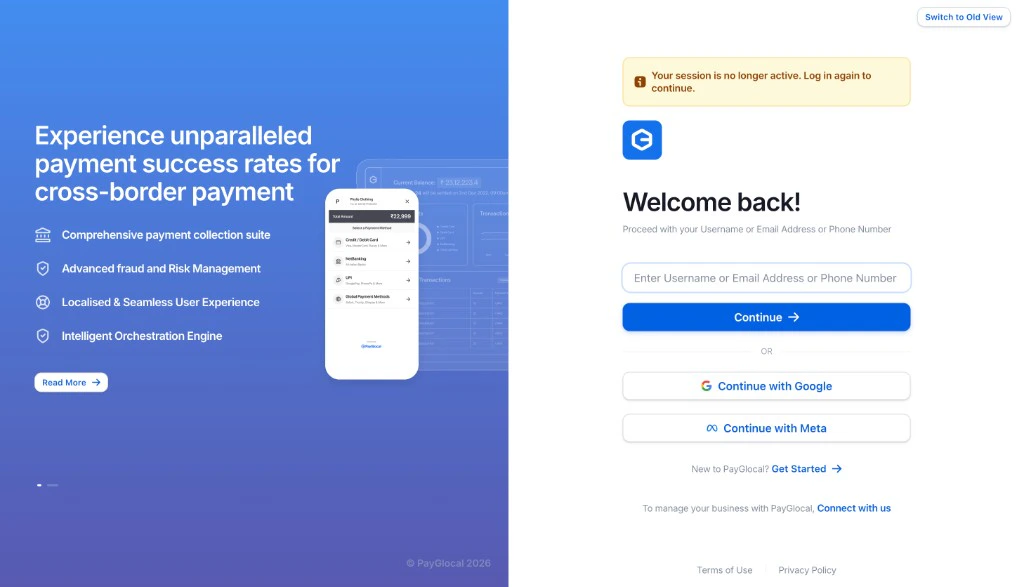
If you do not have credentials yet, contact your PayGlocal account manager or reach out at sales@payglocal.in.
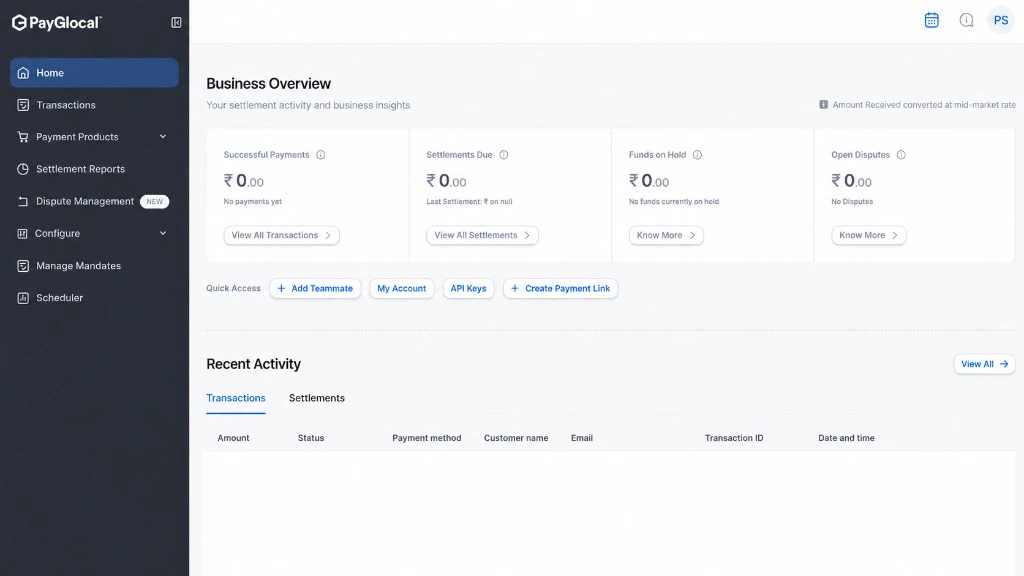
Business Overview Dashboard
After you log in, you’ll land on the Business Overview page, where you can:- View successful payments and settlements
- Track funds on hold and open disputes
- Access quick actions like creating payment links and viewing API keys
- Monitor recent transaction activity
Next Steps
Once you are logged in, your next task is to set up your cryptographic keys and copy the credentials needed for API calls.Key & Credential Management
Generate your private key, copy your Merchant ID and Key IDs from GCC, and prepare for API integration.